Free
No fees to join or host a game, and no ads.
An organizer creates a game with tables and seats, then shares one link. People open the link, sign in with Google or their email, and pick a seat at a table. Each table gets its own chat and bring list, and organizers can send updates to everyone.
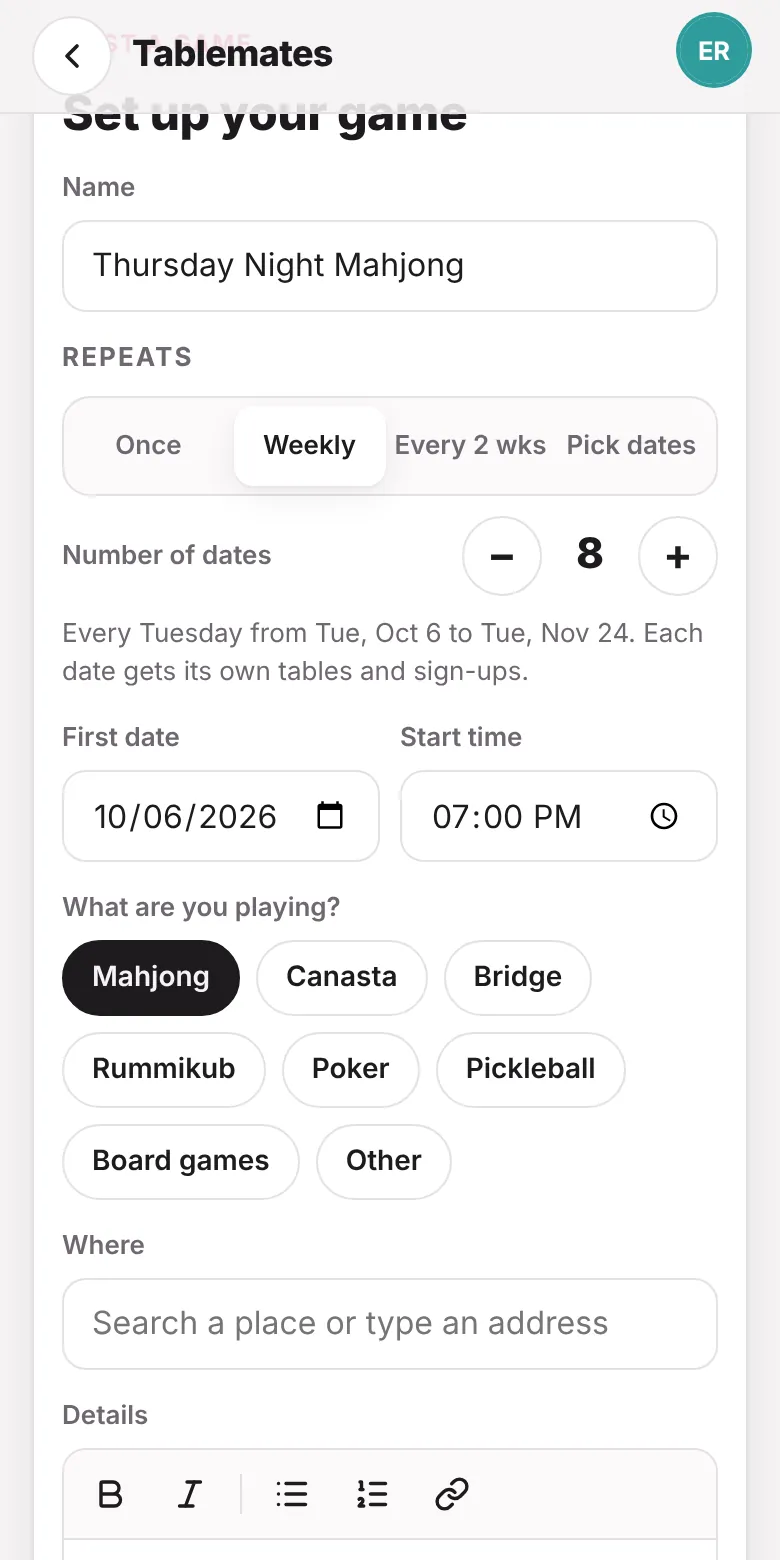
Tap Host a game and add the name, date, start time and where you're playing. Choose the game you're playing, then set how many tables you need and how many seats each table has.
If it happens regularly, choose Weekly, Every 2 weeks or Pick dates. Each date gets its own sign-ups, so people choose their seat for each date.
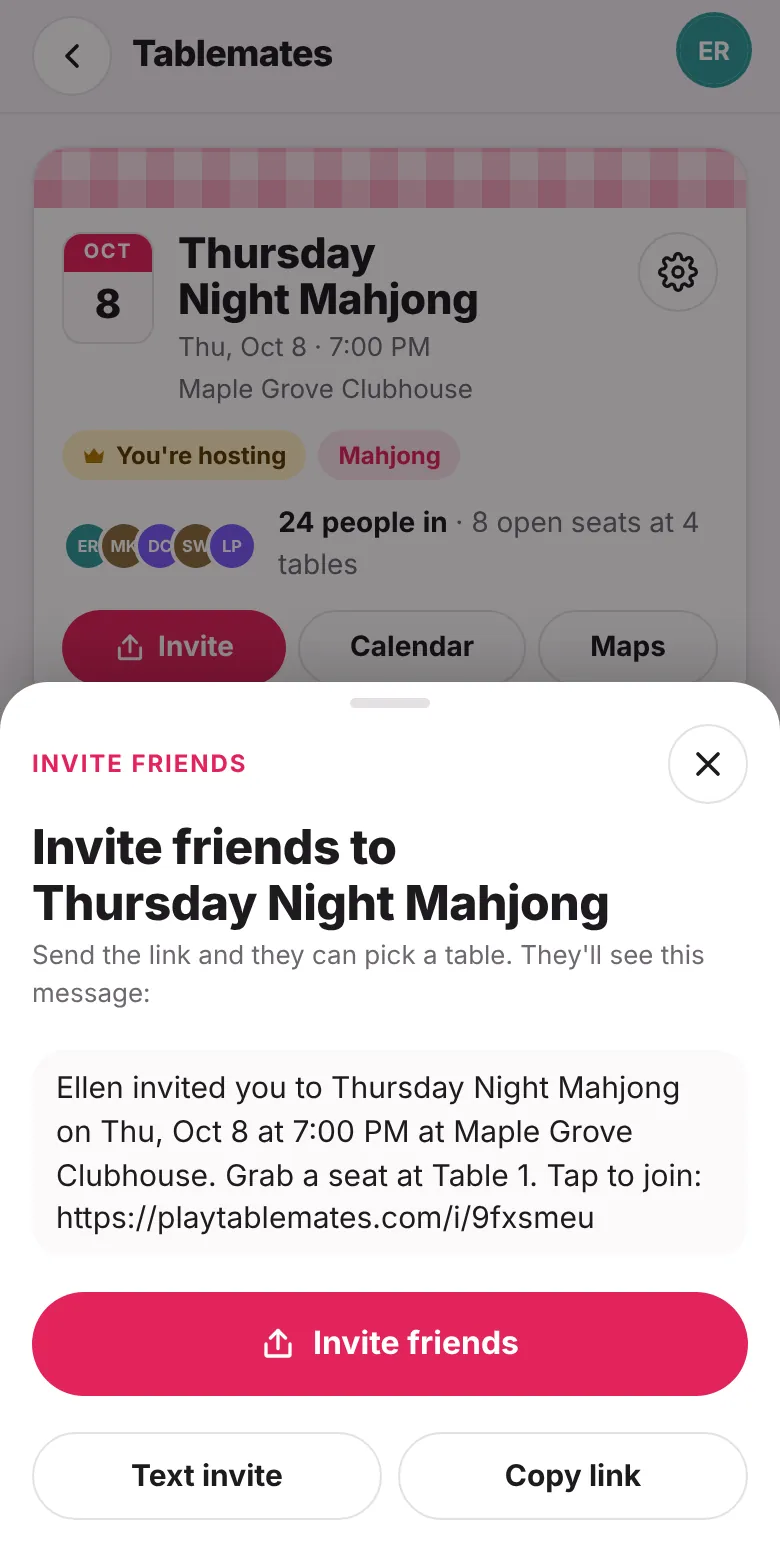
Tap Invite on your game. You'll see the message people will get, with a link to the game.
Tap Invite friends to share it from your phone, Text invite to open your messages, or Copy link to paste it anywhere, like a group chat or newsletter.
To invite by email, open a table and enter email addresses. Tablemates sends the invite for you.
When someone opens the link, they sign in with Google or their email address. There's no password.
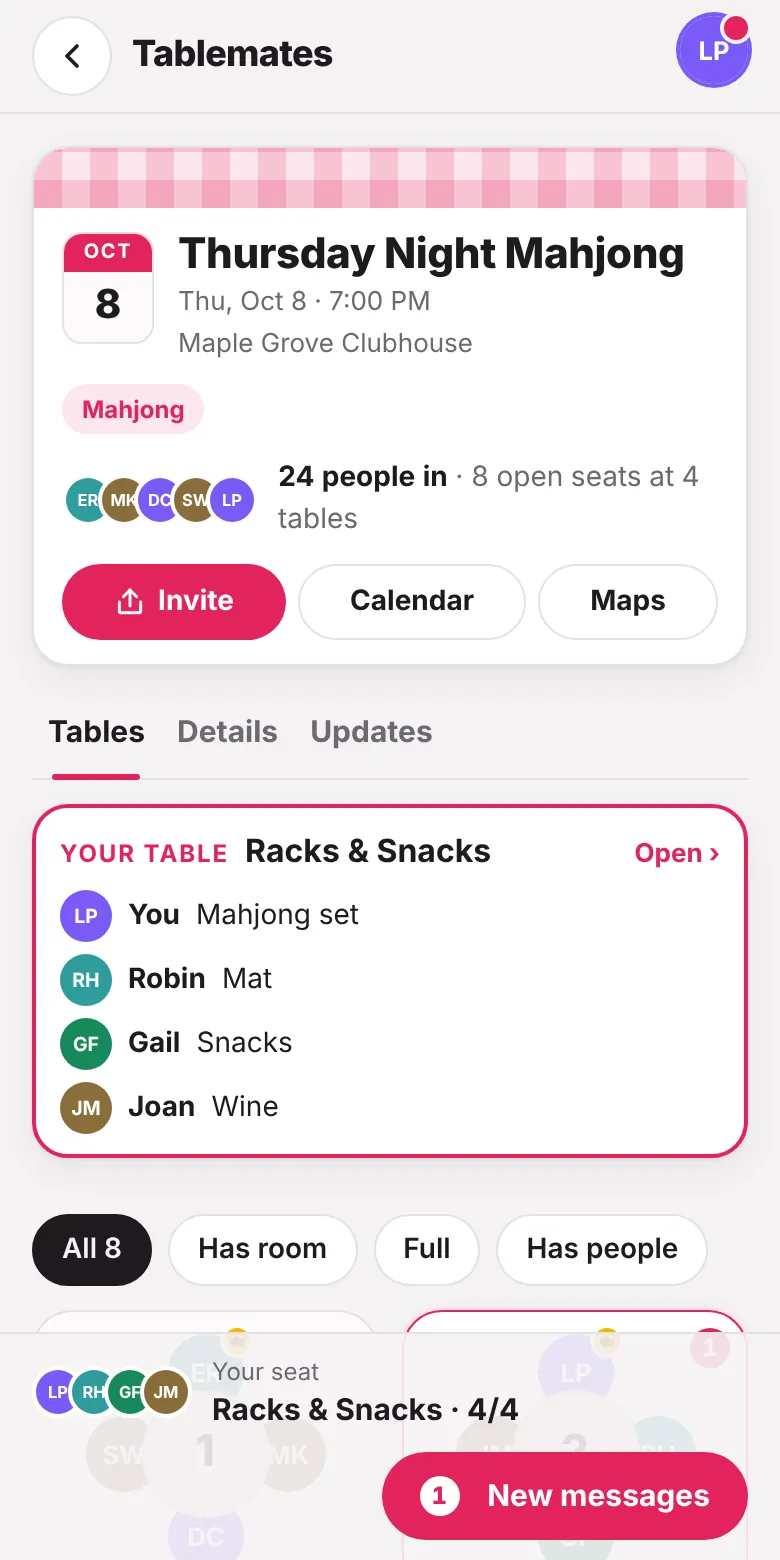
They'll see every table and who's sitting at it. They tap a table with an open seat to sit there, or tap Seat me to take the next open seat.
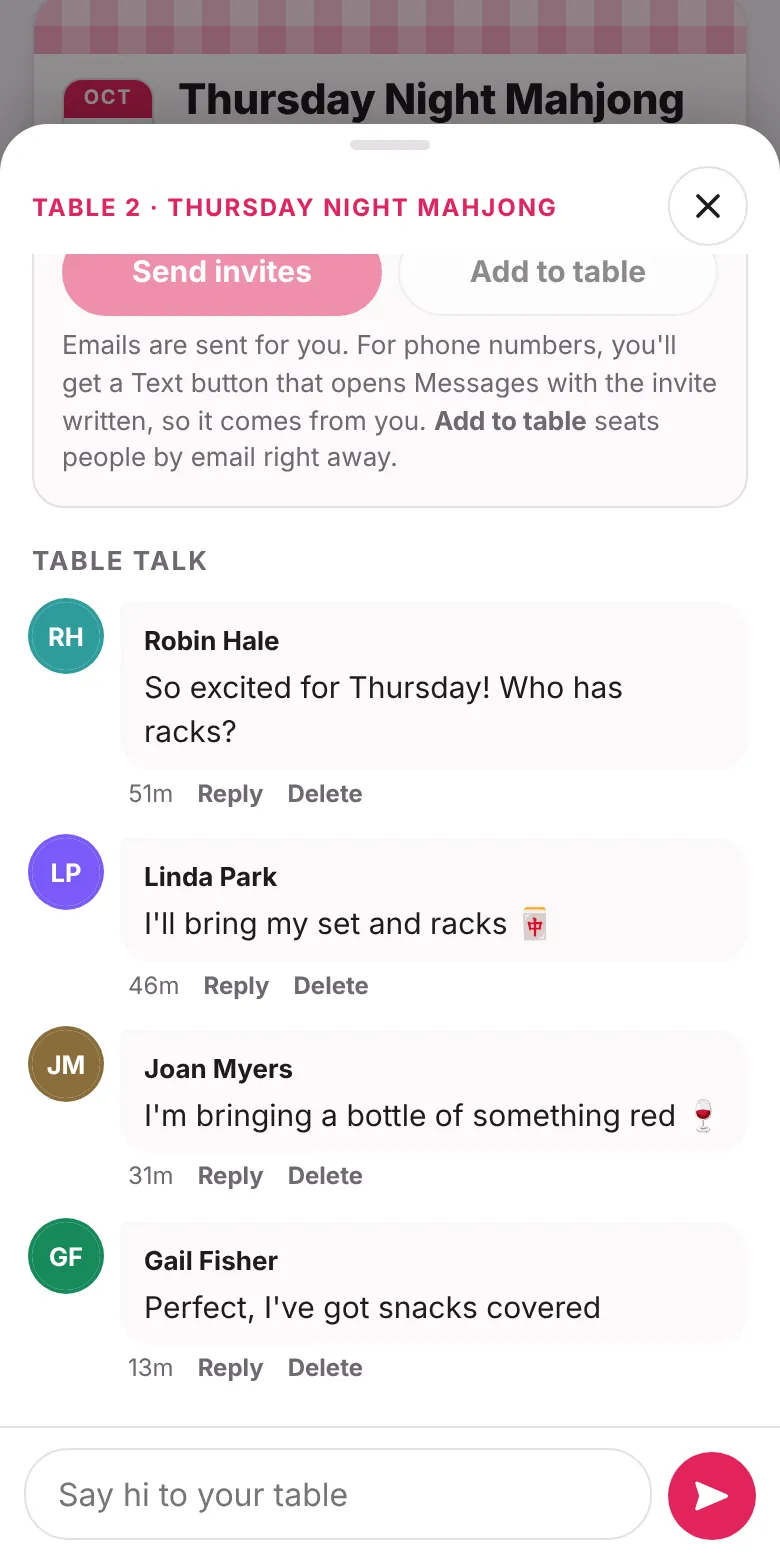
Each table has its own chat. Only the people sitting at that table and the organizers can see it.
Each table also has a bring list. Add what you're bringing, like a mahjong set, a mat or snacks, so nothing gets doubled up. Tablemates suggests items for the game you're playing.
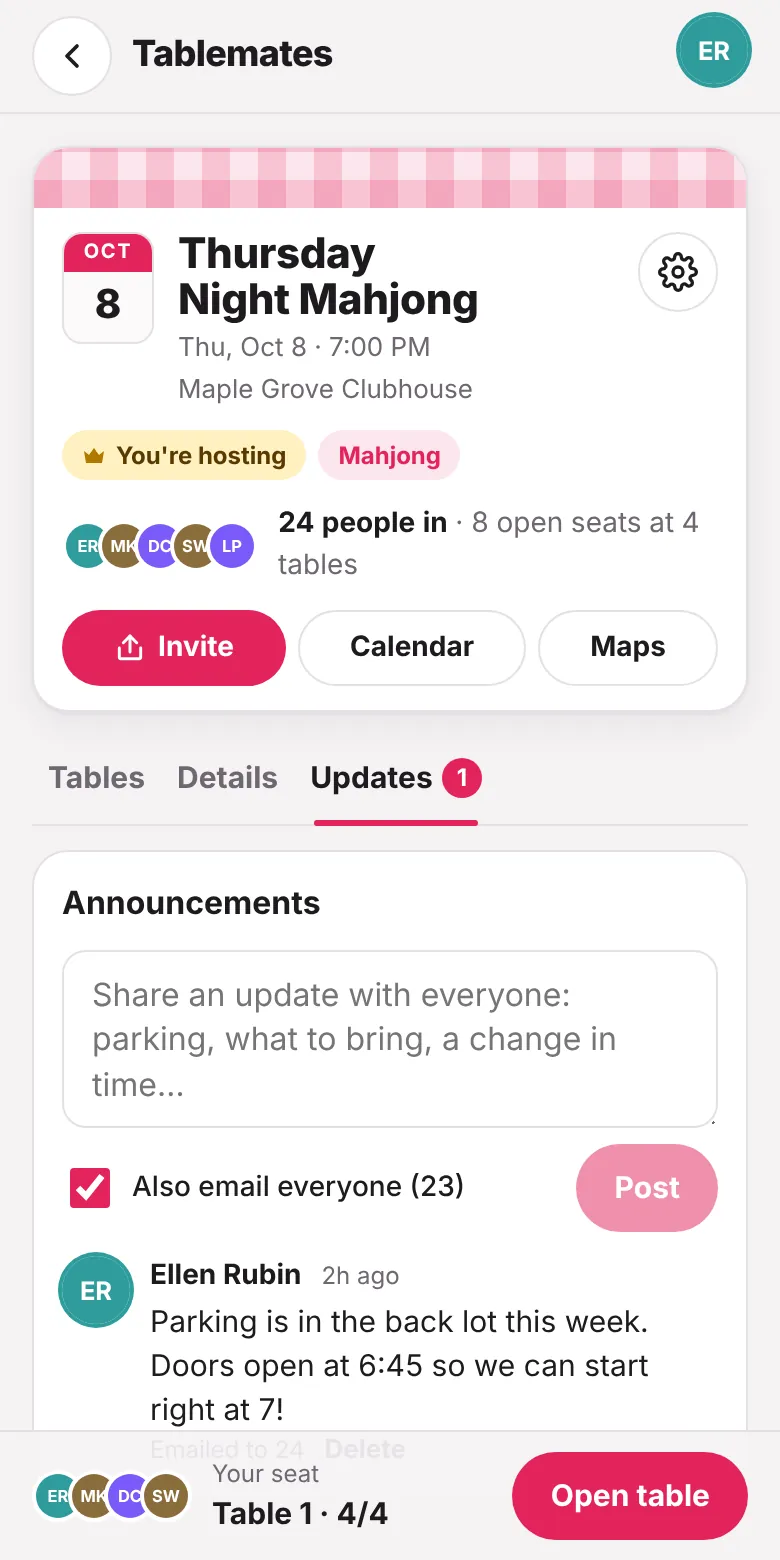
Organizers can post an update from the Updates tab, like a parking note or a change in start time. Everyone in the game sees it when they open the game.
Check Also email everyone to send the update by email too.
No fees to join or host a game, and no ads.
iPhone, Android or computer. Nothing to download. You can add it to your Home Screen.
Use Google or get a 6-digit code by email.
Add one date or a whole weekly series to Google or Apple Calendar.
Tap Maps on any game to get directions to the address.
Add people to help run the game, and make anyone the host of their table.
Private games are only for people with the link. Public games also show up in Find games.
In a weekly series, change the time or details for a single date without changing the rest.